





































































Solvent vs Latex Printing: What's the Difference?
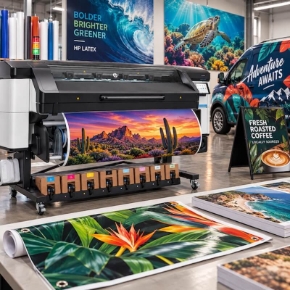
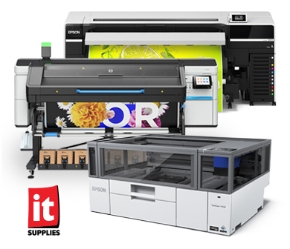
If you print vinyl, banners, canvas, or wallpaper, you have probably already picked a side: solvent or latex. Most shops have a bias, and everyone has an opinion. Strip away the sales pitches, though, and the real difference between HP Latex and Epson Solvent printing comes down to one thing: what happens to the ink after it leaves the printhead. The chemistry is different, the curing process is different, and every practical tradeoff follows from that.
Here is the short version. Solvent gives you lower ink consumption and gentle curing temperatures, but you deal with outgassing time and odor. Latex gives you instant lamination, zero smell, zero harmful VOCs, and wider media compatibility, but you use more ink and need 220V power to run the high curing temperatures. Neither ink type is universally better. It comes down to what matters most for your shop and your applications.
The one-sentence answer: solvent ink bonds to media through a chemical reaction that takes hours to finish, while latex ink is melted into a resin film with heat the moment it prints. That single difference explains the lamination wait, the odor, the power requirements, the media range, and the ink bill.
How Solvent Ink Cures
Solvent ink, the type found in Epson's S Series and used for decades by Roland, Mimaki, Mutoh, and Epson, uses a solvent carrier fluid to carry color pigments through the printhead and onto the media. Prints dry with gentle heat, less than 135 degrees, from the output platen, plus fans blowing room-temperature air across the surface. The print feels dry to the touch within a few minutes, but it is not fully cured for several hours, because the chemical process binding the ink to the media is still running and its byproducts are still gassing off the surface.
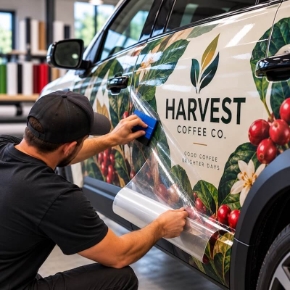
That curing window matters most when you laminate. Laminate a solvent print too soon and you trap gases under the laminate, leaving a cloudy print. Worse, gases can escape out the back of the liner and damage the vehicle or surface you are mounting to. Epson says the inks in its SureColor S Series are ready for lamination in 4 to 6 hours, a big improvement over other solvent ink sets that take up to 24 hours, but it still means building that delay into your production process.
How Latex Ink Cures
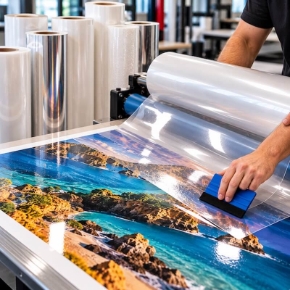
HP Latex inks use no solvent carrier and no chemical reaction to bind to the media, so there are no gaseous byproducts that need to off-gas. Instead, HP uses significant heat, up to about 240 degrees, to evaporate the water carrier, leaving behind a resin polymer and ink pigments melted as a film over the surface of the media. The result is a print that is instantly dry and immediately ready for lamination the second it rolls off the printer.
For shops that laminate stickers or vehicle graphics, picking up 4 or more hours per job is a game changer. When print speeds are measured in seconds or minutes between printers, erasing the entire outgassing wait changes how fast finished work leaves the shop.
Odor and Shop Safety
Because HP Latex ink is truly water-based, it is odorless and contains no harmful VOCs. Operators in a Latex print room are not bothered by the smell common to all solvent printers, and end customers receive odor-free prints at their doorstep or on their walls. HP Latex ink carries top safety certifications, including UL ECOLOGO, GREENGUARD, and REACH compliance.
Epson's S Series printers do not use the hard solvents that used to dominate the industry. They use a milder solvent chemistry that does not need special exhaust venting. But in a small room, or with several S Series printers lined up, the odor can still be significant. If that is a concern for your shop, Latex or resin is worth a serious look.
Power Requirements
The heat that makes Latex curing possible comes with an electrical cost. HP Latex printers draw power from two 220V outlets, which for most shops means bringing in an electrician to wire single-phase 220V power before the printer arrives. Epson solvent printers, with their gentle curing temperatures, run on standard 110V power. Factor the electrical work into your total cost when comparing the two platforms.
Media Compatibility
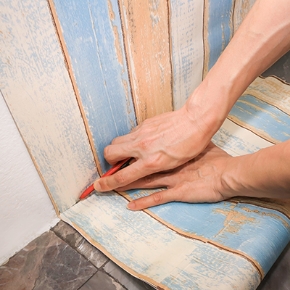
Solvent ink needs media coated to chemically react with it. Print on uncoated or aqueous-coated media and the ink will not react properly, leaving a washed-out print. Latex ink, melted as a film over the top of the media rather than bonded by chemistry, prints on many uncoated medias and on medias coated for aqueous or UV applications. That opens up applications solvent cannot do, like uncoated fabrics and less expensive papers, and it is why Latex shops can say yes to a wider range of jobs.
Scratch Resistance and Stretch
The resin film on a Latex print also delivers scratch resistance that often exceeds solvent, instantly, because the film sits over the media rather than depending on the quality of the media's coating. That same film gives Latex its signature elasticity, which wrap installers love: the print can be stretched and pulled around curves without losing ink density. With solvent, the strength of the bond depends on the coating on that particular substrate, so results vary more from media to media.
Ink Consumption
Latex has one real cost disadvantage, and it comes straight from the water carrier. The water in the ink cartridge steams off during curing rather than staying on the media, so Latex printers typically use about 30% more ink per square foot than solvent printers. In testing, solvent inks can use 30% less ink than Latex depending on the substrate and profile. That is the number to keep in mind when you compare ink costs and expected yield from the inks you buy, because per-milliliter prices alone do not tell the whole story. Latex also uses replaceable printheads, which add roughly 3.5 cents per ml to the consumable cost, and once both factors are included, the two platforms land very close on real-world cost per square foot.
Solvent vs Latex at a Glance
| Epson Solvent (S Series) | HP Latex | |
|---|---|---|
| How it cures | Solvent carrier plus chemical reaction, gentle heat under 135 degrees | Water carrier evaporated by heat up to about 240 degrees, resin film melted onto media |
| Ready to laminate | 4 to 6 hours (Epson S Series), up to 24 hours for other solvent inks | Immediately, right off the printer |
| Odor and VOCs | Milder solvent chemistry, no special exhaust, but odor builds in small rooms | Odorless, zero harmful VOCs, UL ECOLOGO, GREENGUARD, REACH |
| Power | Standard 110V | Two 220V outlets, usually requires an electrician |
| Media range | Needs solvent-coated media | Uncoated, aqueous-coated, and UV-coated media, plus fabrics |
| Scratch and stretch | Bond strength depends on media coating | Resin film gives instant scratch resistance and wrap-friendly elasticity |
| Ink use | Lower, about 30% less per square foot | About 30% more per square foot, water steams off during curing |
| White ink | Available on the flagship S9170 | Available on the W models at every tier (630W, 730W, 830W) |
See It Head to Head at Every Tier
The ink story is the same at every price point, but the right printer still depends on your volume and budget. We put the two lineups against each other at all three tiers: entry level, mid-tier production, and flagship. Watch the matchup for your tier.
Entry Level: Epson SureColor S7170 vs HP Latex 630
The Epson SureColor S7170 is Epson's value play: a new 1.33 inch PrecisionCore Micro TFP printhead with nozzle verification, larger 800ml ink bags, and speeds that rival the flagship solvent printer of just a year ago. It prints banners at up to 280 square feet per hour and adhesive vinyl at 140. The HP Latex 630 is HP's most affordable way into the Latex ecosystem, with Gen 4 water-based inks and HP Pixel Control, printing banners at 194 square feet per hour in 4-pass mode and vinyl at 118 in 6-pass. If throughput is your primary concern, the S7170 wins this tier by about 44% on banners and nearly 20% on vinyl.
On running costs, the S7170 uses 800ml bags at about 21 cents per ml. The Latex 630 uses 1L cartridges at about 16.4 cents per ml, but its consumable printheads add about 3.5 cents per ml, bringing the total to about 20 cents per ml, and Latex lays down more ink per square foot. Real world, the two land in roughly the same neighborhood on cost per square foot. The deciding factor is usually white ink: no entry-level solvent printer offers it, while the HP Latex 630W is one of the most affordable white ink printers in the industry, with zero-waste capping and heads stored in an onboard rotation chamber between white jobs.
Mid-Tier Production: Epson SureColor S8170 vs HP Latex 730
The Epson SureColor S8170 is the production specialist of Epson's new S Series: a 6-color ink set adding Light Cyan and Light Magenta, a single 2.6 inch user-replaceable printhead with dual channels for every color, and the fastest speeds Epson has offered in a solvent printer. On the spec sheet it prints banners at 358 square feet per hour against the HP Latex 730 at 334, and vinyl at 243 against 226. In real life the gap widens, because Latex is pinned to its spec sheet by its curing system, while the S8170 has been pushed past 725 square feet per hour in 2-pass banner mode with sellable outdoor quality.
The 730's case is the ink: water-based, zero VOCs, zero odor, instantly dry and ready to laminate, with scratch resistance and stretch from the cured film, plus uncoated and specialty media including porous fabrics with the optional ink collector kit, and automatic double-sided printing. Ink math is again a dead heat: the S8170 runs 1.5L bags at about 19 cents per ml (800ml bags are also available), while the 730 runs 1L cartridges at 16.4 cents per ml plus about 3.5 cents per ml in printheads, and Latex's higher laydown erases the rest. One more value note: the S8170 ships with a full set of 800ml inks included. And if white ink is anywhere in your plans, the S8170 has no white option at all, so the conversation ends at the HP Latex 730W, with the best white ink system in the business and 3x faster white modes than the entry-level 630W.
Flagship: Epson SureColor S9170 vs HP Latex 830W
The Epson SureColor S9170 is Epson at its very best: a redesigned body, a new ink set including a new Green ink, a user-replaceable printhead, and the highest color gamut of any outdoor durable printer at 99% PANTONE coverage, thanks to its Red and Green inks. If you print brand colors, or fine art and canvas where the widest gamut wins, it is the biggest box of crayons in the industry, with a tiny 4 picoliter drop for detail. The HP Latex 830W is HP's best Latex platform ever: fourth-generation water-based inks with a 20% gamut boost over gen 3, an improved feed system, and white ink modes 50% faster than the previous generation.
Speeds are a dead heat on paper: both print adhesive vinyl at 215 square feet per hour, and banners at 376 for the S9170 against 387 for the 830W. Real world, the S9170 pulls ahead on banners, with excellent output at up to 640 square feet per hour, while the 830W takes the white ink crown with its faster white modes and a system that maintains the white channel without waste or clogging. Ink costs land within pennies: the S9170 runs 1.5L bags at about 17 cents per ml, while the 830W runs 3L boxes at 11.8 cents per ml plus about 3.5 cents per ml in printheads, and Latex's roughly 30% higher laydown closes the gap. White ink comes standard on the S9170; on the HP side it lives on the 830W model, while the standard HP Latex 830 has no white ink.
Which One Fits Your Shop?
Buy solvent if ink consumption and running costs are your top concern, if you want standard 110V power with no electrical work, if your media is all solvent-coated vinyl and banner, or if banner throughput at a mid-tier price is your edge. Buy Latex if you laminate everything and want those hours back, if odor and VOCs matter to your team or your customers, if you print on a wide variety of media including fabrics and uncoated papers, or if white ink is anywhere on your roadmap. At every tier, the printers are remarkably well matched on speed and cost, so the ink technology, not the spec sheet, is what should make the call.
Printer prices and promotions change month to month, so see the current pricing information at the top of each product page linked above. If ink cost is your deciding factor, send us your files and we will print them on both platforms and report the exact usage back to you.
Talk Solvent and Latex With Our Team
Tell us what you print, and we will help you pick the right ink technology and the right printer for your shop.
Call 1-800-771-9665 Browse HP Latex Printers Request Free Print Samples

Write a comment