
























































Can You Use a Regular Inkjet Printer for DTF Printing?
Not without modifications. Standard inkjet printers aren't designed for DTF printing, which requires textile-compatible inks, including white ink, and PET transfer film. However, some people convert compatible Epson EcoTank printers by replacing the standard inks with DTF inks and modifying the printer for use with transfer film. While this can be a lower-cost way to get started, DIY conversions can come with issues like clogged printheads, reliability problems, and voided warranties. For consistent results, especially when printing for customers, a purpose-built DTF printer is generally the better option.
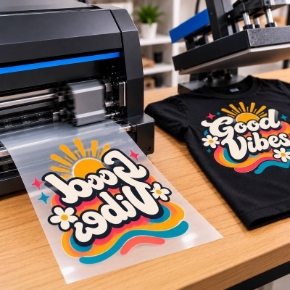
Watch our walkthrough of how real DTF printing works first, then read on for why a standard inkjet falls short and what you actually need:
Why Can't You Just Use a Regular Inkjet Printer for DTF?
DTF printing has four requirements a standard inkjet printer cannot meet:
1. White ink. DTF prints a white underbase beneath the color layers, which is what makes designs pop on dark fabrics. Consumer inkjets print CMYK only and have no white ink channel, no white ink circulation, and no way to add one.
2. PET transfer film. DTF prints onto coated PET film, not paper. Most desktop inkjets cannot feed or handle this film reliably, and their paper paths were not built for it.
3. Textile inks. DTF uses specialized textile inks formulated to bond with adhesive powder and survive washing. Standard inkjet inks are not designed for fabric transfers and will not hold up.
4. RIP software and ink management. DTF printers run RIP software that controls white ink laydown, color management, and print modes. They also include white ink circulation systems that keep the pigment suspended. A regular inkjet has none of this, which is why white ink clogs so aggressively in converted machines.
What About Converting an Epson EcoTank for DTF?
This is the conversion you see all over YouTube: take an Epson EcoTank, flush the stock inks, fill it with DTF inks, and print onto PET film. It can technically produce transfers, and for a hobbyist making a few shirts it sometimes works.
The problems show up fast in real use:
- White ink clogging. White DTF ink is a heavy pigment that settles. Converted printers have no circulation system, so the white channel clogs constantly and printheads die early.
- No warranty. Running third-party DTF inks through the printer voids the manufacturer warranty immediately.
- Daily maintenance burden. Converted machines need constant shaking, cleaning cycles, and nozzle checks to stay alive. Miss a few days and the head is gone.
- No RIP software. You are fighting the stock driver to control white ink density and color, which limits print quality.
For testing the waters as a hobby, a conversion is a cheap experiment. For a business, the downtime and reprints eat whatever you saved on the printer.
What Do You Actually Need for DTF Printing?
A real DTF setup includes:
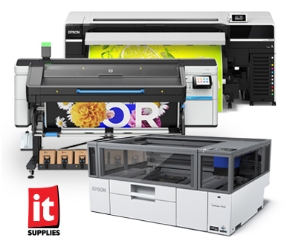
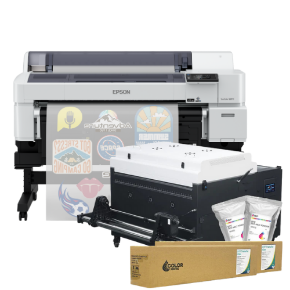
- A purpose-built DTF printer with white ink circulation, such as the Epson SureColor G6070, G9070 or Roland VersaSTUDIO BY-20
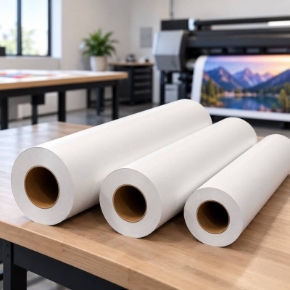
- PET transfer film made for DTF
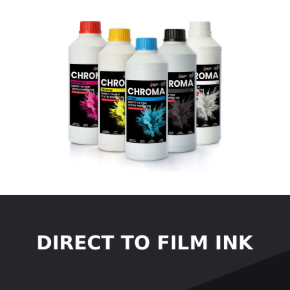
- DTF textile inks, including white
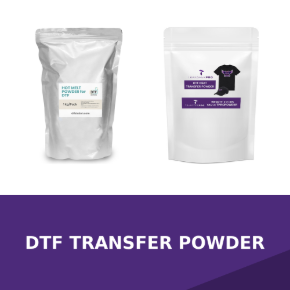
- Hot-melt adhesive powder
- A curing method: powder shaker/dryer or oven
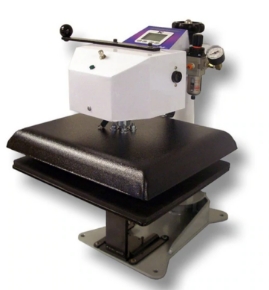
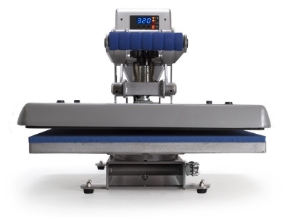
- A heat press for applying transfers to garments
- RIP software for color and white ink control
Everything in that list, from printers to film, powder, and inks, lives on our DTF applications page, which is the hub for the full DTF lineup.
Is Converting Worth It vs. Buying a DTF Printer?
Run the real math. A converted EcoTank costs a few hundred dollars plus inks and film, but factor in dead printheads, wasted transfers from clogged nozzles, daily maintenance time, and zero warranty. An entry-level purpose-built DTF printer costs more up front and prints reliably from day one, with white ink circulation, RIP software, and manufacturer support.
If you are selling shirts, reliability is the product. One ruined batch of transfers for a paying customer costs more than the price gap between a conversion and a real machine. Call 1-800-771-9665 and we will walk through which DTF setup fits your volume and budget.
Frequently Asked Questions
Can I use sublimation ink for DTF printing?
No. Sublimation ink and DTF ink are different chemistries for different processes. DTF requires DTF-specific textile inks with white, plus adhesive powder. Sublimation ink will not work in a DTF workflow.
Does DTF work on dark shirts without white ink?
No. The white underbase is what makes DTF designs visible and vibrant on dark fabrics. Without white ink you are limited to light garments, which defeats the main advantage of DTF. This is exactly why regular CMYK inkjets cannot do the job.
How long do DTF transfers last on shirts?
Properly printed and pressed DTF transfers hold up for dozens of wash cycles. Durability depends on ink quality, correct powder application and curing, and proper heat press time and temperature. See our full DTF printing guide for the full breakdown.
Where can I buy everything needed for DTF printing in one place?
Our DTF applications page carries the complete lineup: DTF printers, PET film, inks, adhesive powder, and finishing equipment. Or call 1-800-771-9665 and talk with a specialist about the right setup for your shop.
IT Supplies is your one-stop shop for everything you need to achieve the perfect print. We partner with top manufacturers to bring you the best in printing technology, including Eco-Solvent, Latex, UV, and Aqueous printers from EPSON, HP, and Canon. Our lineup also features a wide selection of Dye-Sublimation, DTF, and DTG printers from EPSON and HP. Explore our full range at www.itsupplies.com or by giving us a call at 1-800-771-9665!

Write a comment