





































































Best Printers for Photography and Fine Art
When photographers and fine art studios shop for a wide-format printer, the choice comes down to two lineups: Epson's SureColor P-Series and Canon's imagePROGRAF PRO Series. Epson's lineup is the SureColor P7570 (24 inch), the P9570 (44 inch), and the P20570 (64 inch). Canon's lineup is the imagePROGRAF PRO-2600 (24 inch), the PRO-4600 (44 inch), and the PRO-6600 (60 inch). All six are professional pigment ink printers built for gallery-quality photography and fine art reproduction, and all six will produce output your clients will love.
Within each lineup, the printers are essentially the same machine at different widths, with one exception: the P20570 is its own machine, with a different body and a bulk ink pack system. So the buying decision is really two questions: what size do you need, and which brand's philosophy fits how you work? This guide answers both. Browse the full lineups here: Epson P-Series printers and Canon PRO Series printers.
The short version: if you want the widest color gamut and the fastest output, buy Epson. If you want the most consistent, repeatable color and the simplest workflow, buy Canon. Either way, buy the 44-inch model unless you already know you need smaller or bigger.
Our Picks at a Glance
- Best 24-inch value: Canon PRO-2600, regularly $3,525. The lowest cost of entry in this guide, with more ink in the box than the Epson at this size.
- Best 24-inch for color: Epson P7570, regularly $4,695. The widest gamut in a 24-inch printer, and around 15 to 25 percent faster than the Canon in comparable modes.
- Best 44-inch all-rounder: Epson P9570, regularly $6,595, for maximum color and speed, or Canon PRO-4600, regularly $6,375, for repeatable color and a user-replaceable printhead. The 44-inch size is the sweet spot for most professional fine art work.
- Best 60/64-inch production: Epson P20570, regularly $12,495, the fastest photo printer in the P-Series at 200 ft/hr, or Canon PRO-6600, regularly $13,349, the only printer in this guide that ships with a takeup reel standard.
- Best for rigid boards: any Epson P-Series printer. The P7570, P9570, and P20570 all print boards up to 1.5 mm thick. Canon maxes out at 0.8 mm.
Watch the full head-to-head: Canon PRO Series vs Epson P-Series, both lineups compared side by side:
Best Photography and Fine Art Printers at a Glance
| Printer | Width | Ink set | Ink in the box | Printhead | Rigid boards | Regular price |
|---|---|---|---|---|---|---|
| Epson P7570 | 24 inch | 12-color UltraChrome PRO12 | 12 x 150 ml (1,800 ml) | PrecisionCore MicroTFP, 3.5 pl | Up to 1.5 mm | $4,695 |
| Epson P9570 | 44 inch | 12-color UltraChrome PRO12 | 12 x 110 ml starters (1,320 ml) | PrecisionCore MicroTFP, 3.5 pl | Up to 1.5 mm | $6,595 |
| Epson P20570 | 64 inch | 12-color UltraChrome PRO12 | None, buy separately | PrecisionCore MicroTFP, 12-channel | Up to 1.5 mm | $12,495 |
| Canon PRO-2600 | 24 inch | 11-color LUCIA PRO II + Chroma Optimizer | 12 x 160 ml (1,920 ml) | PF-10 thermal, user-replaceable | Max 0.8 mm | $3,525 |
| Canon PRO-4600 | 44 inch | 11-color LUCIA PRO II + Chroma Optimizer | 12 x 330 ml (3,960 ml) | PF-10 thermal, user-replaceable | Max 0.8 mm | $6,375 |
| Canon PRO-6600 | 60 inch | 11-color LUCIA PRO II + Chroma Optimizer | 12 x 330 ml (3,960 ml) | PF-10 thermal, user-replaceable | Max 0.8 mm | $13,349 |
Epson SureColor P-Series
The SureColor P-Series is built around one idea: maximum color. Every model runs the 12-color UltraChrome PRO12 ink set, including Orange, Green, and Violet inks that stretch the gamut into blues, reds, and greens where inkjet printing traditionally struggles, with up to 99 percent PANTONE coverage. All three use the same PrecisionCore MicroTFP printhead family, and all three use archival pigment ink rated up to 200 years in color and 400 years in black and white.
Epson SureColor P7570 (24 inch)
The 24-inch P7570 is the smallest P-Series printer and the successor to the SureColor P7000. It runs the same 12-color PRO12 ink set and the same 2.6-inch PrecisionCore MicroTFP printhead as the bigger models, so the color is identical, just narrower. It prints up to 2.4 times faster than the P7000 it replaces, handles boards up to 1.5 mm thick, and switches between Photo Black and Matte Black with no ink change. Regularly $4,695, with additional savings available through Epson promotions that vary from month to month. Best for: photographers and small studios that want the widest gamut in a 24-inch printer.
Epson SureColor P9570 (44 inch)
The 44-inch P9570 is Epson's flagship photo printer and the successor to the P9000 series, and for most shops it is the sweet spot: wide enough for exhibition prints, still a single-operator machine. Same PRO12 inks, same printhead family, same 99 percent PANTONE coverage, with a 4.3-inch touchscreen and an optional takeup reel. One detail the product page is explicit about: the box includes twelve 110 ml starter cartridges, enough to charge the lines and run sample prints, so buy a full set of inks with the printer. Regularly $6,595, with additional savings available through Epson promotions that vary from month to month. Best for: fine art and giclee studios that want the widest gamut at production volume.
Epson SureColor P20570 (64 inch)
The 64-inch P20570 is a different machine from the smaller P-Series printers: white housing, an external ink tower, and a high-capacity 800 ml and 1.6 L ink pack system instead of cartridges. It is the fastest photo printer in the P-Series lineup at 200 ft/hr in photographic print quality, includes Epson Edge Print Pro RIP software, and handles rolls from 10 to 64 inches plus boards up to 1.5 mm. It does not ship with ink, so a full set of ink packs is a required part of the purchase. Regularly $12,495, with additional savings available through Epson promotions that vary from month to month. Best for: high-volume photo and fine art production.
Canon imagePROGRAF PRO Series
The PRO Series is built around a different idea: consistent, repeatable color. Every model runs Canon's reformulated 11-color LUCIA PRO II ink set plus the Chroma Optimizer, a clear coat that evens out gloss differential and improves scratch resistance on glossy papers. Built-in color calibration keeps output consistent from job to job and across multiple printers, which matters for studios running more than one machine or needing repeatable results for clients.
Watch the Canon PRO Series lineup overview, all three models:
Canon imagePROGRAF PRO-2600 (24 inch)
The 24-inch PRO-2600 is the lowest cost of entry in this guide and the simplest way into gallery-quality printing. It runs the reformulated 11-color LUCIA PRO II ink set plus the Chroma Optimizer, with built-in color calibration and a user-replaceable PF-10 printhead, so you are never waiting on a technician. It ships with 1,920 ml of ink in the box. Regularly $3,525, with additional savings available through Canon promotions that vary from month to month. Best for: photographers and small studios that want consistent, repeatable color at the lowest price.
Canon imagePROGRAF PRO-4600 (44 inch)
The 44-inch PRO-4600 is Canon's workhorse for photo and fine art production: same inks, same printhead, same calibration as the 2600, at the width most professional work actually prints at. It ships with 3,960 ml of ink in the box, more than twice what the Epson P9570 ships with, and it supports 700 ml tanks when volume calls for it. Regularly $6,375, with additional savings available through Canon promotions that vary from month to month. Best for: portrait photographers and multi-printer studios that need repeatable color and a user-replaceable printhead.
Canon imagePROGRAF PRO-6600 (60 inch)
The 60-inch PRO-6600 is Canon's flagship and the only printer in this guide that ships with a takeup reel standard, in the form of the Multifunction Roll System, which also works as a second roll so two media types stay loaded at once. Same LUCIA PRO II inks and PF-10 head as the rest of the line, with 3,960 ml of ink in the box. Regularly $13,349, with additional savings available through Canon promotions that vary from month to month. Best for: high-volume fine art production and studios running two media types side by side.
Ink, Printheads, and Print Life
Both lineups use archival pigment ink rated up to 200 years in color and 400 years in black and white, and both claim 99 percent gamut coverage. Epson gets there with 12 color inks, adding Orange, Green, and Violet to stretch the gamut in blues, reds, and greens, plus dedicated Photo Black and Matte Black channels and a Black Enhance Overcoat mode for deeper blacks on glossy paper. Canon gets there with 11 colors plus the Chroma Optimizer, and built-in color calibration that keeps output consistent across sessions and across multiple printers.
The printheads are the philosophical split. Epson's 2.6-inch PrecisionCore MicroTFP is a piezoelectric head built to last the life of the printer, firing 3.5 picoliter droplets, with maintenance doors that let you clean around the capping station yourself on a quarterly schedule. If it fails outside warranty, that is a service call. Canon's PF-10 is a thermal head, a consumable by design, but it is fully user-replaceable at around $700, and it carries more nozzles, 18,432 against Epson's 9,600. Epson runs around 15 to 25 percent faster in comparable modes. Both carry a one-year warranty with extended plans available.
How the Ink Sets Differ: Epson PRO12 vs Canon LUCIA PRO II
The ink sets are where these two lineups genuinely split. Epson spends all 12 of its channels on color. Canon spends 11 on color and uses the 12th for a clear coat. That one decision explains most of the visible difference between their prints.
Ink Channels at a Glance
Epson UltraChrome PRO12 (12 channels, all color):
Cyan Light Cyan Vivid Magenta Vivid Light Magenta Yellow Gray Light Gray Orange Green Violet Photo Black Matte Black
Canon LUCIA PRO II (11 colors + Chroma Optimizer):
Cyan Magenta Yellow Photo Cyan Photo Magenta Gray Photo Gray Red Blue Photo Black Matte Black Chroma Optimizer (clear coat)
Epson's extra channels are three expansion colors: Orange, Green, and Violet. Canon's extra channels are Red and Blue, and its 12th channel is not a color at all, it is a clear coat laid down over the print to even out gloss and add scratch resistance.
Ink in the Box: Canon Ships More
Total ink volume included with each printer, in milliliters:
At the 44-inch tier, Canon ships more than twice the ink Epson does, and the Epson figure is twelve 110 ml starter cartridges, not full cartridges. At the top tier, the gap is the whole purchase: the P20570 ships with no ink at all.
Printheads: More Nozzles vs Smaller Droplets
Total printhead nozzles:
Canon fires through nearly twice as many nozzles. Epson fires smaller droplets, down to 3.5 picoliters, and its PrecisionCore head is built to last the life of the printer, while Canon's PF-10 is a consumable you replace yourself at around $700.
Ink Sets Side by Side
| What differs | Epson UltraChrome PRO12 | Canon LUCIA PRO II |
|---|---|---|
| Color channels | 12, all color | 11 colors + Chroma Optimizer (clear) |
| Extra chromatic inks | Orange, Green, Violet | Red, Blue |
| Light inks | Light Cyan, Vivid Light Magenta | Photo Cyan, Photo Magenta |
| Grays | Gray, Light Gray | Gray, Photo Gray |
| Blacks | Photo Black, Matte Black, dedicated nozzles, no switching | Photo Black, Matte Black, dedicated nozzles, no switching |
| Clear coat | Black Enhance Overcoat, a driver mode, no extra channel | Chroma Optimizer, laid down as a 12th ink channel |
| Gamut claim | Up to 99% PANTONE | 99% gamut |
| Print permanence | 200 years color, 400 years black and white | 200 years color, 400 years black and white |
What it means in practice: Epson's Orange, Green, and Violet reach colors the standard CMYK set cannot, which shows up in saturated blues, reds, and greens and in smoother gradients. Canon's Chroma Optimizer is why Canon wins on glossy media: the clear coat kills gloss differential and hardens the surface against scratches. Both print the same archival permanence, so the choice is gamut against gloss handling, not longevity.
What Else You Need to Buy
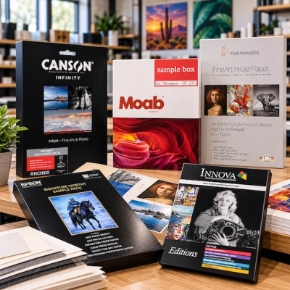
- Fine art paper: the printer is only half the result. Our own PhotoPRO cotton papers cover hot press and cold press, in bright and natural tones, and every new fine art printer purchase also qualifies for a free Hahnemuhle sample pack to test premium fine art papers.
- A full set of ink for the P20570: the P20570 ships with no ink at all, so a full set of 800 ml or 1.6 L ink packs is a required part of the purchase.
- A full set of ink for the P9570: the box cartridges are 110 ml starters, so buy a full set with the printer if you want to start production on day one.
- Media handling: a takeup reel is optional on the P9570 and P20570, and Canon's Multifunction Roll System is optional on the PRO-2600 and PRO-4600 and standard on the PRO-6600.
- Software: Epson Edge Print Pro RIP software is included with the P20570. Canon includes Professional Print and Layout, PosterArtist, and Free Layout Plus across the PRO Series.
- Extended warranty: best pricing is at time of purchase, so factor it in before you buy, not after. On the Canon side, also budget for an eventual printhead replacement.
Frequently Asked Questions
What is the best printer for photography?
There is no single best printer, it depends on what you print. For the widest color gamut and the fastest output, the Epson P-Series. For the most consistent, repeatable color and the simplest workflow, the Canon PRO Series. For most shops, the 44-inch model in either line, the P9570 or the PRO-4600, is the right size.
What size printer should I buy for fine art printing?
A 24-inch printer suits a photo studio or home setup printing up to 24 inches wide. A 44-inch printer suits most professional fine art and giclee work. A 60 or 64-inch printer suits high-volume production and exhibition-size prints.
Should I buy Epson or Canon for fine art and giclee?
Both produce gallery-quality output. Epson leans toward punchier contrast and deeper blacks, which fine art and giclee studios often prefer. Canon leans toward smoother tonal transitions, which portrait photographers often prefer. If you already own one brand, staying with it keeps your workflow unchanged.
How long will my prints last?
Both lineups use archival pigment ink, Wilhelm-tested up to 200 years in color and 400 years in black and white, displayed indoors under glass. That is industry-leading longevity for gallery, museum, and fine art sales work.
Can these printers print on canvas?
Yes. Both lines handle photographic and fine art media on rolls and cut sheets, including canvas and cotton rag papers like our own PhotoPRO line.
Can they print on rigid boards?
Only Epson. The P7570, P9570, and P20570 print boards up to 1.5 mm thick through a straight-through front path. Canon maxes out at 0.8 mm, so rigid boards are not an option.
Does the P20570 come with ink?
No. The P20570 does not ship with ink cartridges or starter inks. A full set of 800 ml or 1.6 L ink packs must be purchased with the printer for it to be operational.
How much ink ships in the box?
Canon ships 1,920 ml with the PRO-2600 and 3,960 ml with the PRO-4600 and PRO-6600. Epson ships 1,800 ml with the P7570, twelve 110 ml starter cartridges with the P9570, and no ink with the P20570.
What about black-and-white printing?
Both lines have dedicated Photo Black and Matte Black channels, so there is no ink switching when you move between glossy and matte media. Epson tends toward punchier contrast and deeper blacks, while Canon tends toward smoother tonal transitions.
How much space do I need for one of these printers?
As an example, the 44-inch P9570 measures 75.1 inches wide by 26.3 inches deep by 48 inches high and weighs 339 lb. Check the dimensions on each product page before ordering. These ship by freight, not standard UPS, and a $50 liftgate charge applies if your location has no receiving dock. Call 1-800-771-9665 for freight delivery details.
Talk Photo and Fine Art Printing With Our Team
Not sure whether Epson or Canon fits your workflow? Our specialists can help you compare sizes and brands for what you actually print.
Call 1-800-771-9665 Browse Canon PRO Series Browse Epson P-Series