


































































Epson SureColor S8170 vs S9170: Speed and Print Quality Comparison
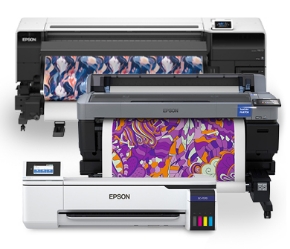
The Epson SureColor S8170 and Epson SureColor S9170 share the same basic platform, print head technology, and Epson SureColor S-Series DNA—but they are designed for very different production environments.
So which one is better? The answer depends heavily on what you print.
In this comparison, we put the Epson S8170 and S9170 head to head using real-world print samples from our demo center. We compared 2-pass banner production, 4-pass versus 2-pass color performance, and 8-pass printing on premium adhesive vinyl to see where each printer performs best.
Epson SureColor S8170 vs S9170: What's the Difference?
At first glance, the Epson SureColor S8170 and S9170 have a lot in common. Both use Epson's 2.6-inch PrecisionCore print head, share the same basic platform and body, and are designed for outdoor-durable solvent printing.
The major difference is how Epson configured the print head and ink channels.
The SureColor S9170 is an 11-color flagship printer. Its ink configuration includes CMYK, Light Cyan, Light Magenta, Light Black, Green, Orange, Red, and optional White. Each color has a dedicated channel in the print head.
The SureColor S8170 is a 6-color production printer using CMYK, Light Cyan, and Light Magenta. Because there are fewer colors to deliver, Epson can dedicate two channels to each color.
That distinction is extremely important when comparing the S8170 vs S9170 print speed.
S8170 vs S9170: Same Print Head, Different Mission
Think of the two printers like two vehicles using the same basic engine but tuned for completely different jobs.
The S8170 is optimized to move ink quickly and maintain strong density at high production speeds. The S9170 sacrifices some production speed in exchange for a much wider color gamut and greater color depth.
In other words:
- Epson S8170: optimized for production speed, ink density, and high-volume signage.
- Epson S9170: optimized for color gamut, image quality, smooth transitions, and premium applications.
Our testing showed exactly how these design decisions affect real-world production.
Epson S8170 vs S9170: 2-Pass Banner Printing Speed
If your shop produces a large volume of banners, 2-pass production speed can be one of the most important specifications to consider.
Both printers are capable of 2-pass banner printing, but the S8170 has a significant advantage in this application.
Epson SureColor S8170 — 2-Pass Banner Mode
In our testing, the S8170 reached approximately 737 square feet per hour in 2-pass banner mode.
Despite the high production speed, the resulting banner had excellent color density and richness. The dual channels for each of the six colors allow the S8170 to put down a substantial amount of ink while maintaining its high production rate.
For typical outdoor banners and signage, the result is a print that is fast enough for production while still being suitable for demanding customers.
Epson SureColor S9170 — 2-Pass Banner Mode
The S9170 reached approximately 640 square feet per hour in 2-pass mode.
That makes the S9170 approximately 13% slower than the S8170 in this particular high-speed banner application.
More importantly, the S9170's single channel for each color means it cannot deliver the same amount of ink per pass as the S8170's dual-channel configuration.
The result is that the S8170 not only prints banners faster in 2-pass mode, but our testing also showed that it maintained stronger color density in this high-speed configuration.
Does the S8170 Maintain Color at High Speed?
Print speed is only useful if the finished print is good enough to sell.
To test how well each printer maintained color at high speed, we compared several colors printed in 2-pass and 4-pass modes. Rather than simply comparing the S8170 against the S9170, we compared each printer's 2-pass result against its own 4-pass result.
The idea was simple: if a printer maintains its color density at 2-pass speed, the colors should remain relatively close to the printer's higher-quality 4-pass output.
We measured the differences using Delta E, a measurement commonly used to quantify perceived color difference.
Green Color Comparison
In the green area of our test image, the S8170 measured approximately 1.66 Delta E between its 2-pass and 4-pass prints, compared with approximately 3 Delta E on the S9170.
A Delta E value below 2 is generally considered a very small color difference that can be difficult for the average viewer to perceive. The S8170's result was therefore particularly impressive considering it was being tested in a high-speed 2-pass mode.
Purple Color Comparison
We saw a similar result in the purple portion of the test image. The S8170 measured approximately 1.25 Delta E, while the S9170 measured approximately 2.62 Delta E.
The results suggest that the S8170's dual-channel configuration is doing exactly what it was designed to do: maintain strong ink density while running at high production speeds.
Why the S9170 Performs Differently at 2 Pass
The S9170's advantage is its expanded color set, but that advantage also creates a tradeoff when operating in an extremely high-speed mode.
During our testing, the S9170 had more difficulty reproducing its full 4-pass color gamut at 2-pass speeds in some of the more challenging colors, including orange, green, red, and purple.
The core CMYK colors were able to maintain strong performance, but the extended-gamut colors did not maintain the same density at 2-pass speed.
This is an important distinction when choosing between the Epson S8170 and S9170. The S9170 is not necessarily designed to be the fastest banner production machine. Its strengths become much more apparent when you give the printer additional passes and allow its expanded ink set to do what it was designed to do.
S8170 vs S9170: 8-Pass Print Quality
When we moved away from high-speed banner production and into higher-quality printing, the comparison changed dramatically.
We printed the same type of image on gloss adhesive vinyl using 8-pass modes on both printers.
The S8170 produced the print at approximately 182 square feet per hour, while the S9170 produced the same 8-pass print at approximately 150 square feet per hour.
That means the S9170 was approximately 18% slower in this particular 8-pass test.
However, this is where the S9170's 11-color configuration becomes a major advantage.
S9170 Color Gamut and Image Quality
When looking closely at the prints, the S9170 showed a noticeably greater reach into portions of the color gamut, particularly in highly saturated colors.
The difference was especially noticeable in areas such as the red tomatoes and colorful fruit in our test image.
The additional green, orange, and red inks allow the S9170 to reproduce colors that are difficult or impossible for a traditional six-color CMYK-based configuration to reach.
For applications where color accuracy and image quality are more important than maximum production speed, that expanded gamut can be extremely valuable.
Which Epson Printer Is Better for Banners?
If your primary business is high-volume banner and signage production, our testing points strongly toward the Epson SureColor S8170.
Its 2-pass banner mode reached approximately 737 square feet per hour, compared with approximately 640 square feet per hour on the S9170. The S8170 also demonstrated excellent color density in our high-speed testing.
For applications such as:
- Outdoor banners
- Event banners
- Trade show graphics
- Yard signs
- General signage
- High-volume production graphics
the S8170's combination of speed, color density, and lower acquisition cost makes it a compelling production choice.
Which Epson Printer Is Better for Premium Graphics?
If your shop competes on image quality and color reproduction, the Epson SureColor S9170 becomes much more attractive.
Its 11-color ink configuration provides a substantially wider color gamut and gives the printer an advantage in applications where accurate reproduction of difficult colors is critical.
The S9170 is particularly well suited to applications such as:
- Fine art reproduction
- Photography
- Premium vehicle wraps
- Brand-critical signage
- Backlit graphics
- High-end adhesive vinyl
- Color-critical applications
If your customers are willing to pay a premium for color accuracy and image quality, the additional gamut of the S9170 can be more important than the difference in production speed.
Epson SureColor S8170 vs S9170: Quick Comparison
| Feature | Epson SureColor S8170 | Epson SureColor S9170 |
|---|---|---|
| Ink Configuration | 6 color | 11 color |
| Print Head | 2.6" PrecisionCore | 2.6" PrecisionCore |
| 2-Pass Banner Speed | 737 sq. ft./hr. | 640 sq. ft./hr. |
| 8-Pass Test Speed | 182 sq. ft./hr. | 150 sq. ft./hr. |
| Color Gamut | Excellent | Wider extended gamut |
| Best For | High-volume production | Premium color-critical work |
| Price at Time of Video | $18,995 | $25,995 |
So, Which Epson SureColor Should You Buy?
The Epson SureColor S8170 vs S9170 decision really comes down to what your business values most.
Choose the S8170 if speed and production volume are your priorities. If you're producing large quantities of banners and general signage, the S8170's high-speed performance and dual-channel configuration make it an excellent fit. At the $18,995 price used in this video, it also represents a significantly lower investment.
Choose the S9170 if color gamut and premium image quality are your priorities. The additional ink colors give the S9170 a major advantage when reproducing difficult colors and creating premium graphics where image quality is a key selling point. At the $25,995 price used in this video, you're paying for that additional color capability.
Neither printer is simply a "better" version of the other. They are two different tools designed around two different production strategies.
See the Epson S8170 and S9170 Print Your Files
Want to see how your own artwork performs on the Epson SureColor S8170 or S9170?
Upload a file and request a free print sample: https://itsupplies.com/printsamples
We'll print your files, document the print mode and production time, and send the samples back to you so you can evaluate the results for yourself.
You can also visit our Chicagoland demo center and see the Epson S8170 and S9170 run your files in person.
Watch the Full Epson S8170 vs S9170 Speed Comparison
Watch the video above to see the actual print samples, speed comparisons, and color testing from our demo center.
If you found this Epson SureColor S8170 vs S9170 comparison helpful, subscribe to our YouTube channel for more wide-format printer comparisons, product demonstrations, and real-world print tests.
Have questions about which Epson SureColor printer is right for your shop? Contact IT Supplies and our team can help you evaluate the right printer, ink configuration, media, and production workflow for your application.

Write a comment