HP DesignJet T2600 36" PostScript Multifunction Printer Plus Edition | Build Connected
Regularly $10,610, now only $10,160 after $450 HP Instant Rebate thru 07/31/2026!
Trade in your old eligible large-format printer or plotter & get up to $600 cash back on buying or leasing a new one. Offer valid July-September, 2026. More details & terms. File your claim here. To learn more, check out the FAQ's.
Connect paper drawings to cloud workflows with integrated scanning, AI-powered vectorization, and high-speed multifunction printing
The HP DesignJet T2600 36" PostScript Multifunction Printer Plus Edition | Build Connected is the first HP DesignJet multifunction printer designed to bridge paper drawings and digital workflows. Featuring an integrated scanner with direct connectivity to HP Build Workspace, this all-in-one large format printer enables architecture, engineering, construction, and GIS professionals to scan, print, copy, and collaborate from one intelligent platform.
Built for demanding workgroups, the T2600 Plus Edition combines high-speed printing, advanced scanning, Adobe PDF Print Engine technology, HP Click software, integrated automatic print stacking, dual-roll productivity, and enterprise-class HP Wolf Pro Security. Together, these features streamline document management from the first sketch to the final printed drawing.
Every HP DesignJet T2600 PostScript MFP Plus Edition | Build Connected includes one year of HP Build Workspace access with 20 AI vectorization tokens per month, allowing teams to convert paper drawings into editable CAD-ready files while keeping every stakeholder connected to the latest project version.
Key Features
- 36-inch multifunction large format printer with integrated scanner
- Direct scan-to-cloud integration with HP Build Workspace
- One year of HP Build Workspace included with 20 AI vectorization tokens each month
- AI-enabled scan-to-vectorize capability converts paper drawings into CAD-ready files
- Integrated QR code version control for paper and digital collaboration
- Adobe PDF Print Engine with embedded Adobe PostScript technology
- Dual-roll printing with automatic media switching
- Print speeds up to 180 D-size prints per hour
- Integrated automatic print stacker holds up to 100 pages
- HP Click Software and HP Click Driver simplify PDF printing
- HP Bright Office Inks produce precise line drawings and vibrant presentation graphics
- HP Wolf Pro Security with secure authentication and encrypted communications
Bridge Paper and Digital Workflows
The HP DesignJet T2600 MFP Plus Edition | Build Connected is the first HP DesignJet multifunction printer that directly connects paper drawings to cloud-based collaboration through HP Build Workspace.
Using the integrated scanner, users can scan paper drawings directly from the printer's front panel into HP Build Workspace, creating a single, intelligent version that can be shared across project teams. Every scanned document becomes part of a connected digital workflow without requiring additional software or manual uploads.
Because the printer is connected directly to HP Build Workspace, new platform features automatically extend the capabilities of the T2600 over time, helping protect your investment while continuously improving collaboration and productivity.
Connect Paper Drawings Directly to HP Build Workspace
The integrated scanner transforms the HP DesignJet T2600 MFP Plus Edition into more than a multifunction printer. It becomes the bridge between printed drawings and cloud-based project collaboration.
Scan paper drawings directly from the printer's front panel into HP Build Workspace to create a centralized, shareable project file. Instead of managing multiple paper revisions or manually uploading scans, every drawing becomes part of one connected workflow that keeps teams aligned from the office to the job site.
Included with every HP DesignJet T2600 MFP Plus Edition | Build Connected is one year of HP Build Workspace access with 20 AI vectorization tokens per month, allowing organizations to immediately begin digitizing and managing construction documents.
Always Work from the Latest Drawing
Construction projects move quickly, and outdated drawings can lead to costly mistakes.
HP Build Workspace helps keep every stakeholder working from the latest available drawing through intelligent QR-linked version control. Each printed drawing includes a QR code that verifies whether it matches the newest cloud version, helping architects, engineers, contractors, and field personnel stay synchronized throughout the project lifecycle.
This connected workflow reduces confusion, minimizes rework, and improves collaboration across distributed project teams.
Convert Paper Drawings into CAD-Ready Files
The HP DesignJet T2600 MFP Plus Edition includes AI-enabled scan-to-vectorize technology that helps convert scanned paper drawings into editable CAD-ready files.
Instead of manually recreating legacy drawings, users can digitize existing plans using HP Build Workspace and dramatically reduce drafting time. HP estimates organizations can save up to 80% of drafting time compared to traditional manual recreation methods.
The result is faster project turnaround, improved collaboration, and easier modernization of paper archives.
Multifunction Productivity for Busy Workgroups
Designed for demanding architecture, engineering, GIS, and construction environments, the HP DesignJet T2600 combines printing, scanning, and copying into one powerful large format device.
Print speeds up to 180 D-size prints per hour, dual-roll media support, and an integrated output stacker capable of organizing up to 100 pages help eliminate workflow bottlenecks and keep projects moving without interruption.
Automatic media switching allows different paper types or sizes to remain loaded simultaneously, reducing operator intervention while improving overall productivity.
Adobe PDF Print Engine Delivers Exceptional Accuracy
Produce technical drawings exactly as designed with embedded Adobe PDF Print Engine and Adobe PostScript technology.
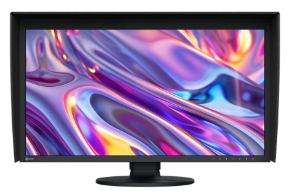
Complex PDF files are processed directly within the printer, helping preserve fine details, transparency effects, special fonts, smooth gradients, and precise linework. HP Bright Office Inks deliver crisp technical drawings while producing vibrant presentation graphics and 3D renderings.
HP Click Makes Large Format Printing Simple
Print PDF, JPEG, TIFF, DWF, and HP-GL/2 files quickly using HP Click Software and the HP Click Driver.
Automatic nesting, batch printing, interactive previews, and simplified print settings reduce wasted time while making large format printing easy for every member of your team.
Built-In HP Wolf Pro Security
Protect project drawings, scanned documents, and confidential business information with enterprise-class HP Wolf Pro Security.
Security features include HP Secure Boot, firmware integrity validation, allowlisting, secure user authentication, TLS 1.3 encryption, and IPsec network protection, helping safeguard devices and documents from unauthorized access.
Ideal Applications
- Architecture firms
- Engineering companies
- Construction contractors
- Building Information Modeling (BIM) teams
- GIS and mapping professionals
- Surveying firms
- Government agencies
- Utilities and infrastructure planning
- Corporate design departments
- Organizations transitioning from paper-based workflows to cloud collaboration
What's in the box
- HP DesignJet T2600 PostScript MFP Printer Plus Edition
- Printer Stand and Media Bin
- 15.6" Touchscreen
- Spindle(s)
- Printheads
- Introductory Ink Cartridges
- User Guide
- Power Cords
Why Choose the HP DesignJet T2600 MFP Plus Edition | Build Connected?
Unlike traditional large format multifunction printers, the HP DesignJet T2600 MFP Plus Edition doesn't simply scan and print. It connects paper drawings to intelligent cloud workflows through HP Build Workspace, helping teams collaborate more efficiently, reduce drafting time, maintain version control, and modernize document management without disrupting existing processes.
From scanning legacy plans into editable CAD files to printing the latest revisions with embedded QR verification, the HP DesignJet T2600 MFP Plus Edition is designed to keep architecture, engineering, and construction teams connected from concept through completion.
T2600 MFP Plus Printer Size & Dimensions
- Width (printer): 55 inches
- Width (shipping): 58.1 inches
- Depth (printer): 30 inches
- Depth (shipping): 30.2 inches
- Height (printer): 49 inches
- Height (shipping): 31.5 inches
- Weight (printer): Single-roll: 234 lb
- Weight (shipping): Single-roll: 302 lb
Disclaimers
- Based on competitive analysis of connected functionality across similar MFPs in this class, April 2026.
- Based on published product specifications, the HP DesignJet T2600 MFP Plus Edition | Build Connected can scan directly to HP Build Workspace with vectorization capability. In comparison, the Canon imagePROGRAF TX-3200 can scan to the cloud but does not support vectorization, while the Epson SureColor T5770DM supports neither cloud scanning nor vectorization. HP internal evaluations estimate time savings based on pilot studies using more than 1,000 customer drawings. The comparison measures drafting effort using the solution versus manual drafting. Actual savings may vary due to factors such as drawing complexity and image quality.
- HP Build Workspace is the first solution to offer cloud-based AI vectorization to convert raster drawings into working CAD files, specifically designed for architects. AutoCAD is software not owned by HP. HP AI Vectorization and HP Build Workspace do not include any license to AutoCAD.
- HP internal evaluations estimate time savings based on pilot studies using more than 1,000 customer drawings. The comparison measures drafting effort using the solution versus manual drafting. Actual savings may vary due to factors such as drawing complexity and image quality.
- Based on all comparable large-format inkjet printers priced under $12,000 (USD) as of April 2026. Based on published product specifications, the HP DesignJet T2600 MFP Plus Edition | Build Connected includes a fully integrated output stacking system as part of the device design. The output basket offered for the Canon imagePROGRAF TX-3200 is an optional accessory that is not integrated into the printer structure and requires users to change the position of the stacker depending on print size. No stacking system or stacking accessory is available for the Epson SureColor SC-T5770DM.
- Requires purchase of the HP DesignJet T1600 PostScript® Plotter Series Plus Edition, the HP DesignJet T2600 PostScript® MFP Series Plus Edition | Build Connected, or the optional HP DesignJet PostScript®/PDF Upgrade Kit. Highest accuracy and finest details compared to printers without embedded Adobe technology, excluding RIP users, and based on internal HP testing with PDF files containing special fonts, PANTONE® colors, smooth shading, overprint, and transparencies that can only be reproduced using the Adobe PDF Print Engine. The Adobe PDF Print Engine (APPE) is Adobe’s high-speed, high-fidelity print platform. To learn more, visit https://www.adobe.com/products/pdfprintengine.html
- Mechanical printing time. Printed in Fast mode with Economode on, using HP Bright White Inkjet Paper (bond) and Original HP inks.
- Dual rolls are included only with the HP DesignJet T1600dr Plotter Series Plus Edition and the HP DesignJet T2600dr MFP Series Plus Edition | Build Connected.
- The HP Click App is compatible with Windows and macOS. The HP Click Driver is compatible with Windows 11 only. HP Click software is compatible only with Original HP ink supplies. Applicable to PDF, JPEG, TIFF, DWF, and HP-GL/2 files.
- Based on a competitive comparison of the HP Click Driver and comparable competitive printer drivers representing the majority of market share as of 2026, according to IDC. The HP Click Driver performs all steps in one workflow, including interactive print preview, PDF error detection with warnings, and print settings, unlike competitors, which are not integrated. The comparison was performed by Sogeti in April 2026.
- HP Wolf Pro Security includes various HP security features and is available on the HP DesignJet T850/T870/XT870/XT950 Plotter Series, HP DesignJet Smart Tank T858/T908/T918 Printers, HP DesignJet T1600 Plotter Series, HP DesignJet T2600 Multifunction Plotter Series, HP DesignJet T1700 Plotter Series, HP DesignJet T1708 Plotter Series, HP DesignJet Z9⁺ Pro Printer, HP DesignJet Z6 Pro Printer, HP DesignJet Z9⁺ PostScript® Printer Series, HP DesignJet Z6 PostScript® Printer Series, HP DesignJet XL 3600 Multifunction Printer Series, and HP PageWide XL & Pro Printers. See product details for included features. For more information, see https://www.hp.com/go/large-format-security
PostScript® is a trademark of Adobe Systems Incorporated.