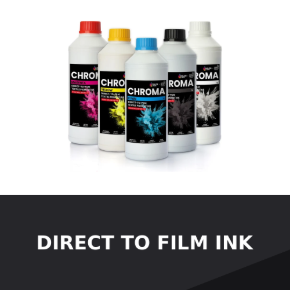
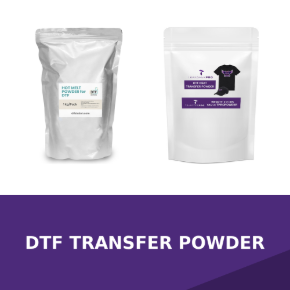
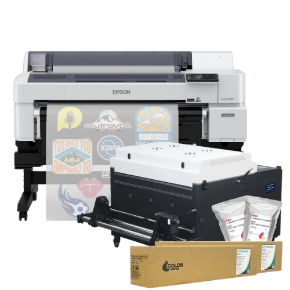
DTF Station Color Prime Hot Melt Powder 2.2lbs (1kg) Black for Direct to Film on DTG Printers
Availability: Call for Availability
$32.99
Your price: $28.04
DTF Station Color Prime Hot Melt Powder 2.2lbs (1kg) Black for Direct to Film on DTG Printers
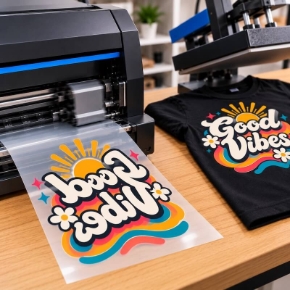
Formulated for use during Direct to Film (DTG Transfer) printing, Color Prime adhesive powder is a crucial part of any DTF printing workflow. Cover your Direct to Film media with this powder to allow for optimal press. Use for 100% cotton, polyester, nylon, and more!
Ensure exceptional durability and deep color vibrancy on your direct-to-film prints with Color Prime Black Hot Melt DTF Powder. This 1kg premium thermoplastic adhesive powder is designed for strong adhesion, excellent stretchability, and a soft hand-feel, especially effective on darker-colored garments.
The black hot melt powder enhances the richness of colors and reduces ghosting (also often referred to as color migration, or color bleeding) on dark fabrics, making it ideal for custom t-shirts, hoodies, and other apparel. Compatible with the DTF Station Prestige R2 Pro and other DTF printers, this powder provides long-lasting, crack-resistant transfers with a professional-quality finish.
Features and Benefits
- Even and regular particles for quality graphics and good adherence
- 1kg Black DTF Powder – Optimized thermoplastic adhesive for strong, flexible fabric transfers, especially on dark materials
- Rich, Vibrant Print Quality – Enhances color depth and prevents fading or dulling on dark garments
- Durable, Crack-Resistant Finish – Provides a smooth, stretchable, soft-touch transfer that holds up wash after wash
Applications
- 100% cotton, polyester, nylon, and more
- Custom t-shirts, hoodies, and other apparel
Compatibility
- DTF Station Prestige R2 Pro and other DTF printers
- Color Prime inks and Quick Glide film
WARNING
Caution: When handling DTF Hot Melt Powder, do not ingest or inhale powder or fumes. Harmful if swallowed. Skin irritations may occur. Avoid contact with skin and eyes. If contact with eyes, rinse with large amounts of water. Wear protective clothing, gear, mask and gloves when handling powder. If allergic reaction persists or accidentally ingested, seek medical help immediately.
Choose Color Prime Black Hot Melt Powder for bold, lasting, and professional-quality DTF transfers on dark-colored fabrics.
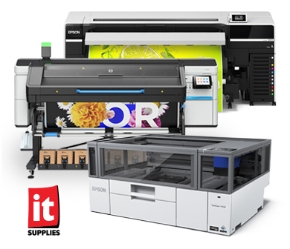
*This product has no affiliation with Epson and is not endorsed by Epson.
*Settings and directions to print DTF with your F2000/2100 using Garment Creator*
- The basic concept for DTF is to print CMYK first then WHITE on top of it. ALWAYS MIRROR YOUR IMAGE FIRST!
- Most of you will be printing onto standard A3 and A4 sheets. Utilize every inch of space as you can to save on time and cost of materials. We call that gang sheeting. One benefit of GC is that it allows multiple images to be uploaded at the same time for printing. Those who order Plastisol Transfers will already know this. The two most common platens I use are 10 x 12 (A2) and 16 x 20 (A3). I place the sheet towards the top middle as a guide and measure how much empty space I have on the sides and bottom because the sheets will be smaller than your platen. I use tape to hold in at least 2 corners to prevent the sheet from shifting while printing.
- Using GC for DTF is very much the same as with DTG. The only difference is you are reversing the cmyk/white color process and mirroring your image.
- If your image has black in it then click on Black Garment. That will prevent GC from printing black unnecessarily.
- For all other colors including white, use (Dark Color).
- After selecting the proper color choice, you need to tinker with your color and white levels. For me personally I use level 2 for color and level 1 for white. I leave ink density to zero. And make sure you leave enough time in between passes in Pause between Passes (sec). This is very important. I like to choose 30-60 seconds
- Under White Management it is very important to check “OFF” first before you print your CMYK pass. This will allow your color layer to go down first.
- After your color pass is done then you go back to white management and click “ON”. Be sure you have enough seconds in your “Pause between passes (sec)” or else your printer will print another CMYK pass right after your white pass. YOU DO NOT WANT THAT! So you MUST manually press cancel on your printer before it does so.