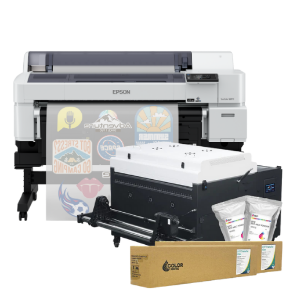
ImagePrint Black v13 for Epson and Canon 24" Printers

ImagePrint Black v13 RIP software
for 24" Epson printers delivers advanced
color management, ICC profiles & workflow tools.

Availability: Call for Availability
SKU: IP24
$1,495.00
decrease increase

ImagePrint Black v13 RIP Software for Epson 24" Printers


ImagePrint Black is professional RIP software designed for photographers, fine art printers, and creative professionals who demand the highest quality output from their Epson 24" printers. With advanced color management, professional layout tools, automated workflows, and thousands of custom ICC profiles, ImagePrint helps you achieve exceptional prints the first time, every time.


Looking to upgrade or add additional licenses? Call our ImagePrint specialists at 1-800-771-9665.


Professional Printing Made Easier

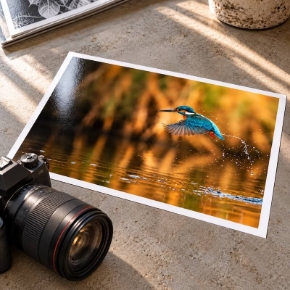
ImagePrint Black combines powerful RIP technology with an intuitive workflow designed specifically for professional inkjet printing. Whether you are producing gallery-quality fine art prints, photography collections, limited editions, or commercial projects, ImagePrint provides the tools needed to maximize your printer's capabilities.


  • Professional RIP software optimized for Epson professional printers
  • Advanced ICC color management for accurate, repeatable results
  • Supports printing directly from Lightroom, Capture One, Photoshop, and InDesign
  • Runs on both Mac and Windows platforms with one license
  • Includes one year of live technical support


Advanced Color Management and ICC Profiling

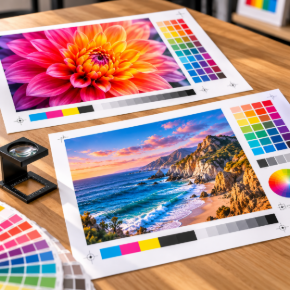
ImagePrint Black features a proprietary color management engine engineered specifically for professional printing. Its extensive profile library includes over 25,000 custom printer and media profiles, helping you achieve maximum color gamut, accurate skin tones, smooth gradients, and exceptional shadow detail across a wide range of papers.


  • Fully ICC compatible workflow
  • 25,000+ custom profiles included
  • Automatic profile selection with Profile Valet
  • Accurate soft proofing before printing
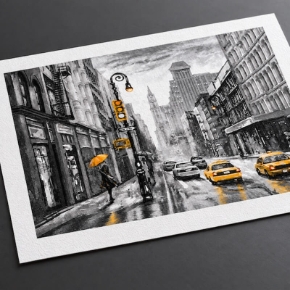
  • Advanced grayscale and black and white printing controls
  • 256 shades of gray for exceptional monochrome output


Professional Layout and Workflow Tools

Save time and reduce media waste with ImagePrint's powerful layout automation features. Create custom layouts, manage multiple print jobs, archive projects, and streamline repetitive printing tasks with professional workflow tools built into the software.


  • Auto Layout tools maximize every inch of media
  • Multi-page layout window for simple page management
  • Page spreads for photo books and albums
  • AutoPrint hot folder automation
  • Professional print queue and job management
  • Archive and restore completed print jobs
  • Saved page properties and reusable layout templates


Enhanced Photo and Fine Art Printing Features

ImagePrint Black gives photographers and artists complete control over their final output with advanced editing, correction, and customization tools.


  • Always-on soft proofing with accurate print previews
  • Non-destructive color and tone adjustments
  • 16-bit output sharpening
  • Smart Crop and alignment tools
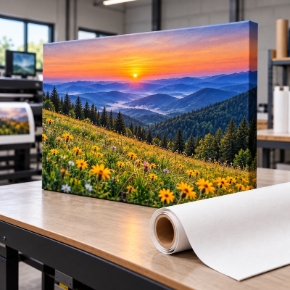
  • Gallery wrap and split image printing
  • Custom backgrounds, borders, frames, and mats
  • Wide Gamut and Narrow Gamut tint controls
  • Colorized black and white printing


Automated Cutting with Optional Cut-It-Out!

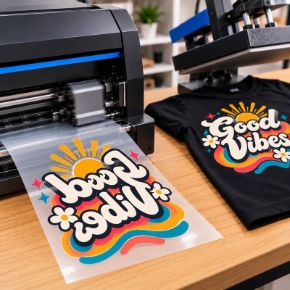
The optional Cut-It-Out! add-on transforms your Epson printer and Graphtec cutter into a complete automated finishing solution. Create custom shaped prints, packaging, invitations, posters, stickers, and more with automatic contour cutting directly from your print workflow.


  • Automatically creates cut paths during printing
  • No additional design software required
  • No manual cut path creation
  • Supports custom shapes, decorative edges, borders, and backgrounds
  • Compatible with Graphtec and Summa cutters


New Features in ImagePrint Black v13

  • Hot key image duplication
  • Crop marks by area
  • Crop marks compatible with Cut-It-Out!
  • 1:1 swatch printing
  • Mural calculator
  • Movable ruler guides with image snapping


Compatible Epson 24" Printers

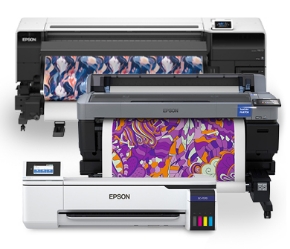
ImagePrint Black supports the following Epson 24-inch professional printers:


  • Canon PRO-2000
  • Canon PRO-2100
  • Canon PRO-2600
  • Epson SureColor P7300
  • Epson SureColor P6570D
  • Epson SureColor P7570 (7500)
  • Epson SureColor P7000
  • Epson SureColor P6000
  • Epson Stylus Pro P7900
  • Epson Stylus Pro P7890
  • Epson Stylus Pro P7880
  • Epson Stylus Pro P7800
  • Epson Stylus Pro P7600
  • HP DesignJet Z9-24


Why Choose ImagePrint Black?

ImagePrint Black is designed for professionals who refuse to compromise on print quality. From photographers and artists to print service providers, ImagePrint delivers the control, consistency, and automation needed to produce exceptional prints while saving time, reducing waste, and simplifying complex color workflows.

 

Installing IMAGEPRINT Black on Mac & Windows


ImagePrint Black v13 RIP Software for Epson 24" Printers


ImagePrint Black is professional RIP software designed for photographers, fine art printers, and creative professionals who demand the highest quality output from their Epson 24" printers. With advanced color management, professional layout tools, automated workflows, and thousands of custom ICC profiles, ImagePrint helps you achieve exceptional prints the first time, every time.


Looking to upgrade or add additional licenses? Call our ImagePrint specialists at 1-800-771-9665.


Professional Printing Made Easier

ImagePrint Black combines powerful RIP technology with an intuitive workflow designed specifically for professional inkjet printing. Whether you are producing gallery-quality fine art prints, photography collections, limited editions, or commercial projects, ImagePrint provides the tools needed to maximize your printer's capabilities.


  • Professional RIP software optimized for Epson professional printers
  • Advanced ICC color management for accurate, repeatable results
  • Supports printing directly from Lightroom, Capture One, Photoshop, and InDesign
  • Runs on both Mac and Windows platforms with one license
  • Includes one year of live technical support


Advanced Color Management and ICC Profiling

ImagePrint Black features a proprietary color management engine engineered specifically for professional printing. Its extensive profile library includes over 25,000 custom printer and media profiles, helping you achieve maximum color gamut, accurate skin tones, smooth gradients, and exceptional shadow detail across a wide range of papers.


  • Fully ICC compatible workflow
  • 25,000+ custom profiles included
  • Automatic profile selection with Profile Valet
  • Accurate soft proofing before printing
  • Advanced grayscale and black and white printing controls
  • 256 shades of gray for exceptional monochrome output


Professional Layout and Workflow Tools

Save time and reduce media waste with ImagePrint's powerful layout automation features. Create custom layouts, manage multiple print jobs, archive projects, and streamline repetitive printing tasks with professional workflow tools built into the software.


  • Auto Layout tools maximize every inch of media
  • Multi-page layout window for simple page management
  • Page spreads for photo books and albums
  • AutoPrint hot folder automation
  • Professional print queue and job management
  • Archive and restore completed print jobs
  • Saved page properties and reusable layout templates


Enhanced Photo and Fine Art Printing Features

ImagePrint Black gives photographers and artists complete control over their final output with advanced editing, correction, and customization tools.


  • Always-on soft proofing with accurate print previews
  • Non-destructive color and tone adjustments
  • 16-bit output sharpening
  • Smart Crop and alignment tools
  • Gallery wrap and split image printing
  • Custom backgrounds, borders, frames, and mats
  • Wide Gamut and Narrow Gamut tint controls
  • Colorized black and white printing


Automated Cutting with Optional Cut-It-Out!

The optional Cut-It-Out! add-on transforms your Epson printer and Graphtec cutter into a complete automated finishing solution. Create custom shaped prints, packaging, invitations, posters, stickers, and more with automatic contour cutting directly from your print workflow.


  • Automatically creates cut paths during printing
  • No additional design software required
  • No manual cut path creation
  • Supports custom shapes, decorative edges, borders, and backgrounds
  • Compatible with Graphtec and Summa cutters


New Features in ImagePrint Black v13

  • Hot key image duplication
  • Crop marks by area
  • Crop marks compatible with Cut-It-Out!
  • 1:1 swatch printing
  • Mural calculator
  • Movable ruler guides with image snapping


Compatible Epson 24" Printers

ImagePrint Black supports the following Epson 24-inch professional printers:


  • Canon PRO-2000
  • Canon PRO-2100
  • Canon PRO-2600
  • Epson SureColor P7300
  • Epson SureColor P6570D
  • Epson SureColor P7570 (7500)
  • Epson SureColor P7000
  • Epson SureColor P6000
  • Epson Stylus Pro P7900
  • Epson Stylus Pro P7890
  • Epson Stylus Pro P7880
  • Epson Stylus Pro P7800
  • Epson Stylus Pro P7600
  • HP DesignJet Z9-24


Why Choose ImagePrint Black?

ImagePrint Black is designed for professionals who refuse to compromise on print quality. From photographers and artists to print service providers, ImagePrint delivers the control, consistency, and automation needed to produce exceptional prints while saving time, reducing waste, and simplifying complex color workflows.


Installing IMAGEPRINT Black on Mac & Windows